
AEDC Token Not Loading? 6 Causes and the Fix for Each
Meter says Reject or Used? Work through six causes, from a mistyped digit to the KCT update, with the exact steps and AEDC contact lines for each.
You typed the 20-digit token, the meter flashed "Reject" or "Used", and your units didn't move. Retype the digits slowly first. If the receipt shows three codes, the first two go in before the credit token, one after the other.
Those first two are Key Change Tokens, or KCT, a free update some older meters need before they'll take new credit. Below are the six usual causes of an AEDC token not loading, most common first. Wording differs between meter brands, so go by what your own screen says.
What your meter screen is telling you:
| Screen message | Likely cause | Read this section |
|---|---|---|
| "Reject" or "Error" straight away | A digit typed wrong | A digit went in wrong |
| "Used" or "Old" on a token you've never typed | The meter needs the KCT update | KCT update |
| "Reject" with every digit correct | Token made for another meter number | Different meter number |
| "Used" or "Old", and only one code on the receipt | Someone already loaded it | Already loaded |
| No token received at all | Token never delivered | Debited but no token |
| Blank screen, tamper or fault message | Meter fault or no supply | Faulty meter |
A digit went in wrong, or the keypad timed out
Most of the time, it's a typing slip. Your meter refuses a bad code the moment you press enter, and the balance stays put. Count the digits on screen against the receipt or SMS: a standard prepaid token has 20, and one swapped pair is enough to make it fail.
- Press cancel or backspace to clear the screen.
- Hold the receipt next to the keypad.
- Type all 20 digits at a steady pace. Don't pause long between keys.
- Press enter (the # key on some keypads).
- Wait for "Accept" or your new balance.
Two failures with every digit checked means your fingers aren't the problem. Move on to the KCT check.
AEDC token not loading because the meter needs a KCT update
Every token carries a counter called the Token Identifier, or TID. That counter stops one token working twice. On older STS meters (STS is the standard most prepaid meters follow), it ran from a 1993 base date and ran out on 24 November 2024. Newer tokens start the count afresh, so a meter that missed the update reads each one as old and flashes "Used".
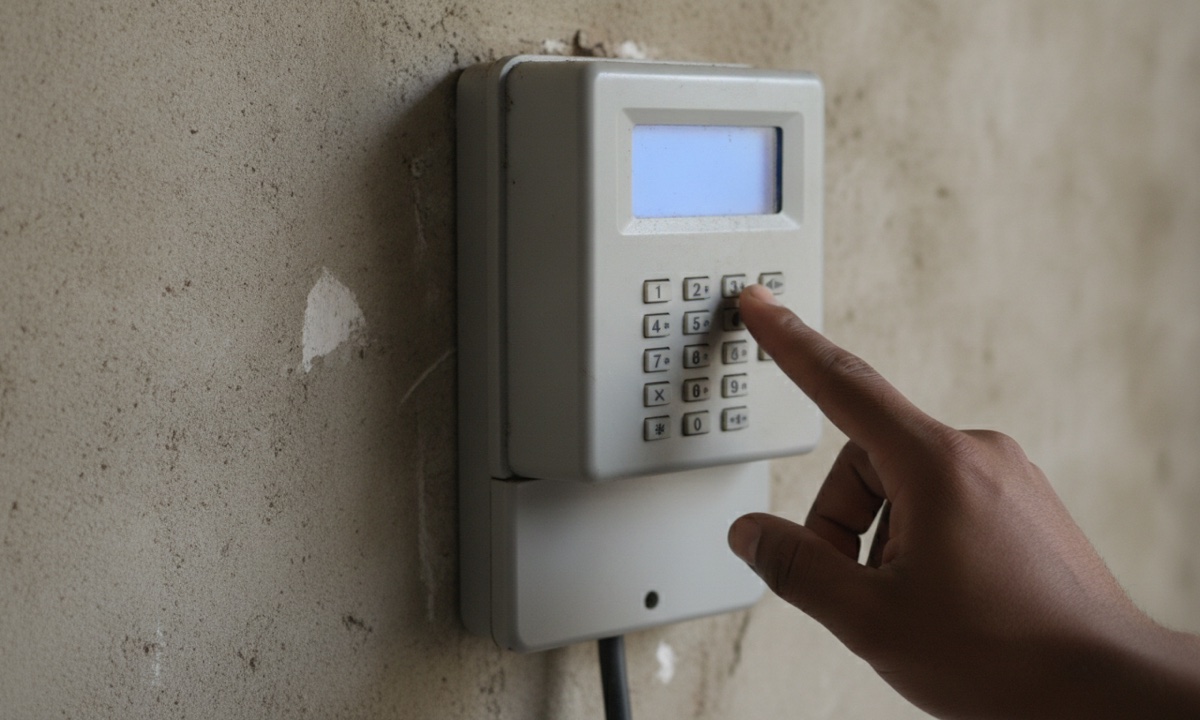
Not every AEDC meter needs this. Meters already on the 2014 base date skip it, and so do non-STS meters. Check yours at map.abujaelectricity.com/checkmeter, AEDC's Verify Meter Status page.
Where yours does need it, the receipt or SMS carries three codes: KCT1, KCT2, then the credit token. AEDC issues the KCTs free.
- Load any older, unused tokens first, because the meter refuses them after the update.
- Type KCT1 and press enter.
- Type KCT2 and press enter.
- Type the credit token and press enter.
A power cut halfway through a code does no harm. Once NEPA brings light back, start that code again from the first digit, and keep in mind that your KCT pair works once and only on your meter.
Sometimes the status check says you need the update but the receipt shows just one code. Get the key change token online on the Verify Meter Status page, or at an AEDC business district office. The TID support desk answers on 08039070070 and at aedctidsupport@abujaelectricity.com.
The token belongs to a different meter number
Compare the meter number on your receipt with the label on the meter. A token works only on the meter it was made for. Retyping won't change that.
Take the receipt back to the app, bank or vendor you paid through and ask for a reversal or a reissue to the right number. They hold the record, so the fix has to start with them.
Someone already loaded it, or it's older than your last one
"Used" or "Old" with no KCTs on the receipt usually means the token has already gone in. Ask around the house before you panic. Your younger brother may have keyed it in last night while you were out, and those units are already sitting in your balance.
Each token loads once, so a second try adds nothing. To see every token bought for your meter number, open the AEDC Payment Hub at pay4energy.abujaelectricity.com and pull up the token history, or check the app you paid with. When even fresh tokens all come up "Used", go back to the KCT section above.
Debited but no token? How AEDC token retrieval works
No code at all means retrieval comes first. On the Payment Hub, pick Retrieve Token and enter your transaction reference.
When you buy an AEDC token on AidaPay, it stays in your transaction history, ready to copy again. Prices as at 10 November 2026: any amount from ₦500 to ₦50,000, with ₦2 cashback on every ₦1,000.
Money gone and retrieval still blank? Ask the app, bank or vendor you paid through for a refund, because they can see whether the payment ever reached AEDC. The full walkthrough sits in this guide to other electricity token problems.
The meter is faulty, tamper-locked or has no supply
A blank screen or a tamper or fault message needs AEDC, not more typing. So does a meter that refuses every token even after KCT1 and KCT2. Leave the casing shut and the wiring alone. Report the fault to AEDC with your meter number and a clear photo of the screen.
Where AEDC has to replace a meter you paid for under the Meter Asset Provider (MAP) scheme, you can check your AEDC MAP refund while you wait.
If nothing worked: call AEDC, then go to NERC
Have four things ready before you call: your meter number, every code on the receipt including any KCTs, the transaction reference, and the exact words on the meter screen. One call should then be enough.
AEDC customer care is on 08039070070. WhatsApp works on 09161012128 or 09162012128, and Telegram on 08152151515 suits anyone who'd rather type than sit on hold. For a written record, email customercare@abujaelectricity.com and save the acknowledgement that comes back.
NERC expects DisCos to resolve a complaint within 15 working days. After that deadline, or when the answer didn't fix your meter, take the acknowledgement and your documents to the nearest NERC Forum Office, listed at nerc.gov.ng/forum-offices. Should the Forum's decision still leave it unsettled, send the details to NERC head office.
Frequently asked questions
How do I key in my token on an AEDC prepaid meter?
What are KCT1 and KCT2 on my AEDC receipt?
Why does my meter say Used for a new token?
Can I load a token bought for the wrong meter number?
What is the AEDC customer care number?
How do I get a key change token from AEDC?
Why is my AEDC token not working when I typed every digit right?
I was debited but got no token. How do I retrieve it?
Sources
- AEDC homepage (customer care contacts, TID links)
- AEDC TID FAQ
- AEDC About TID Rollover
- AEDC TID Support (08039070070, aedctidsupport@abujaelectricity.com)
- AEDC Verify Meter Status
- AEDC Payment Hub
- NERC complaints and redress procedure (15 working days, Forum, head office)
- NERC Forum offices
- AidaPay app catalogue (AEDC: ₦500-₦50,000, 0.2% cashback, read 10 Nov 2026 10:34)
More like this.
 Electricity
Why Is There No Light in Lagos? Gas Gap, Not a Grid Collapse
Lagos is short of light because gas and water ran low and a 330kV line was vandalised. The grid didn't collapse, and Band A refund...
 Electricity
How to Recharge Prepaid Meter: Token Steps and What ₦5,000 Buys
Type the 20-digit token, press Enter and wait for Accept. It's the same on Hexing, Conlog, Mojec and Holley meters. On Band A outs...
 Electricity
Ikeja Electric Band A Compensation: 6 Feeders Got 0 Hours
An Ikeja Electric apology pays nothing by itself. See the 10 Band A feeders that missed 20 hours on 25–26 October, what NERC credi...