
Airtel 5G router: what the ODU is, who it suits, how to set it up
The Airtel 5G router (SmartConnect ODU) mounts outside your house. Here is who it suits, what to check before you order, how setup works, common fixes and what the plans cost to keep running.
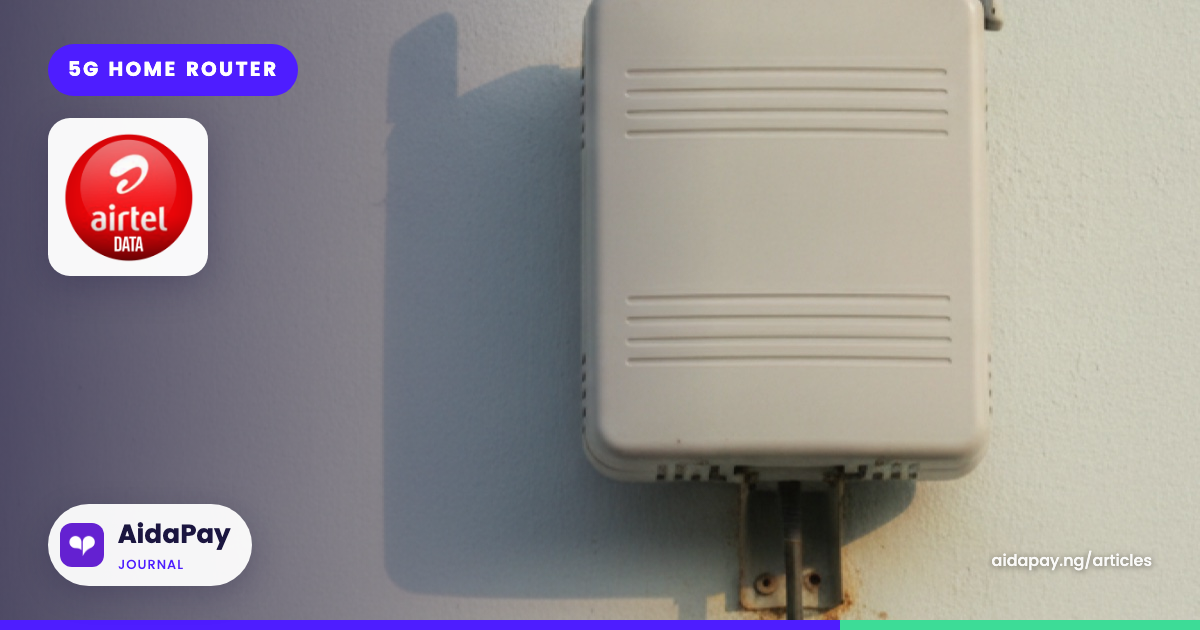
The Airtel 5G router sold as SmartConnect is a weatherproof box that goes on an outside wall or roof, not a modem that sits on your shelf. Airtel Nigeria launched it in September 2025 for homes and small businesses, and it is built for streets where fibre never arrived. Before you pay for one, check three things: 5G coverage at your exact address, where the unit will mount, and how your house handles power cuts.
Below: what the outdoor unit (ODU) does, who it suits, setup, common fixes and, last, the running cost.
What the Airtel 5G router actually is
Most home routers catch the network from inside the house, through walls and burglary-proof windows that eat the signal. The ODU sits outside instead. According to BusinessDay's launch report, Airtel mounts it outdoors "to capture stronger and more stable signals" in dense urban and peri-urban areas.
Legit.ng tested the router soon after launch and described how the connection gets indoors: the unit picks up the signal outside and a cable carries it in. Inside, your phones and laptops join over Wi-Fi like any other router. Techeconomy reported that one unit supports up to 64 devices at once.
Two other details matter in a Nigerian house. The router has a built-in battery that BusinessDay put at five to six hours during outages. It also has parental and usage controls, so a parent can limit what the children open on the family connection.
Ismail Adeshina, Airtel's marketing director, said at launch that SmartConnect was "designed with the Nigerian reality in mind." The battery is the clearest sign of that. When NEPA takes light at 8pm, the Wi-Fi stays up while the generator argument starts.
Who it suits, and who should wait
Techeconomy lists the target users as households, small businesses, families, entrepreneurs and students. In practice, the ODU makes most sense for a home or shop that needs one shared connection for several people. A family with a smart TV, two laptops and four phones will get more from one unlimited line than from four people buying data bundles separately.
A small office is the other clear fit. A pharmacy, a salon or a two-desk accounting firm can run email, bookings and video calls on one plan.
Some people should hold off. A tenant who expects to move within a few months is taking a risk, because the unit is fixed to the building and the plans are paid ahead. A person living alone who mostly uses WhatsApp may spend less on ordinary phone data. Anyone on a street with weak Airtel coverage should confirm the signal first, which the next section covers.
Before you order: coverage, the wall and power
The ODU only works as well as the network it can see. BusinessDay reported that the router falls back to Airtel's 4G LTE network where 5G is not available. That keeps you online, but the plan price does not drop when you are on the slower network.
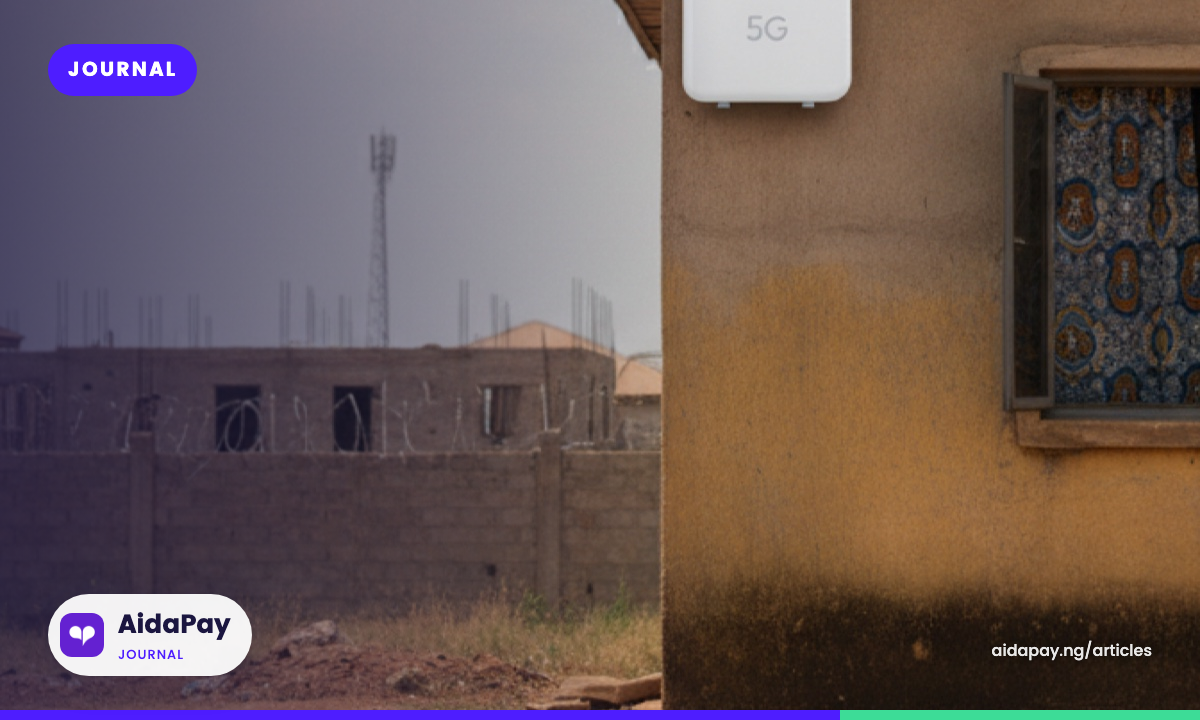
Ask first. When you speak to an Airtel showroom or home broadband sales executive, give them your full address and ask directly whether it has 5G. If a neighbour already has the unit on their wall, ask them how it behaves at night, when everyone on the street is online.
Next comes the wall. Since the unit mounts outside, you need a spot the installer can reach and a route for the cable into the house. If you rent, get your landlord's agreement before the installer arrives, not after. A caretaker who pulls it down during painting will cost you days of connection.
Then power. The battery covers a normal evening outage, based on the five-to-six-hour figure in the launch reports. For longer blackouts, plan to run the router off the same inverter or generator line that keeps your fridge going.
How ordering and installation work
You can buy the router in several places. Techeconomy lists Airtel showrooms nationwide, the Airtel e-shop, home broadband sales executives and direct sales executives. Tech Africa News also mentions ordering by calling 300.
- Confirm 5G coverage at your address with the sales agent.
- Pay the entry fee, which at launch covered the router, a SIM, installation and the first month of the entry plan.
- Agree the mounting spot and the cable route with the installer.
- Wait for the visit. Tech Africa News reported setup within 48 hours of ordering.
- Before the installer leaves, connect a phone and open a video to test the signal.
Legit.ng reported that Airtel's technicians checked the signal was stable before they left. Ask for the same, and write down the SIM number inside the router while the installer is still there. You will need that number every time you renew.
After setup: settings worth changing
Every router ships with a default Wi-Fi name and password. Change the password in the first week, especially in a compound where the neighbours can see your network name. On most Airtel routers the login address, username and password are printed on a label on the device, according to an August 2026 router guide from Androidpols.
Once you are logged in, look for the Wi-Fi or WLAN settings to set a new password. Use at least eight characters with letters and numbers. This is also where you will find the parental and usage controls Airtel promoted at launch.
If you run a shop, set up a separate network name for customers where the menu allows it. That keeps a walk-in customer off the network your work laptops use.
What the plans cost to keep running
At launch in September 2025, BusinessDay and Techeconomy reported two unlimited speeds after the first free month. The 50Mbps plan cost ₦25,000 a month and the 100Mbps plan cost ₦45,000. Airtel lets you renew through the Airtel Africa app, the portal at airtel.com.ng/hbb, *312# or a QR code.
Vendor apps also sell the same renewals, often a little under Airtel's list price, and some add 90-day bundles. You can renew Airtel router plans on AidaPay, and the table below sets those prices beside Airtel's launch figures. Prices as at 29 September 2026.
ODU plan prices: Airtel at launch (September 2025) and a vendor price with cashback, as at 29 September 2026
| Plan | Airtel launch price | AidaPay price (29 Sep 2026) | Cashback to wallet |
|---|---|---|---|
| ODU Unlimited 50Mbps, 30 days | ₦25,000 | ₦24,875 | ₦50.59 |
| ODU Unlimited 100Mbps, 30 days | ₦45,000 | ₦44,775 | ₦91.07 |
| Unlimited 50, 90 days | Not in launch reports | ₦67,163 | ₦136.60 |
| Unlimited 100, 90 days | Not in launch reports | ₦120,892 | ₦245.88 |
| Airtel 650GB, 1 year (capped) | Not in launch reports | ₦100,000 | ₦800 |
| Router Unlimited 20Mbps, 30 days (no ODU in the name) | Not in launch reports | ₦29,500 | ₦60 |
The monthly difference between sellers is small. The length of the plan matters more. On the fast plan, three monthly renewals cost ₦13,433 more than one 90-day bundle from the same seller. If you can find the money up front, take the longer plan. Stay monthly only if you might move within the quarter.
Two rows are not for most ODU homes. The 20Mbps plan costs more than the 50Mbps ODU plan and its name does not mention the ODU, so skip it. The 650GB bundle is capped, which works out at roughly 54GB a month, and suits only light users who have confirmed with Airtel that it works on the router SIM.
Mobility NG reports that Airtel takes the router back if the minimum ₦25,000 subscription is not renewed for three months in a row. A long trip or a tight January can cost you the device as well as the connection.
When it slows down or stops: common fixes
When the Wi-Fi stops working, go through these checks in order before you call Airtel.
The plan has expired
An unlimited plan stops on its expiry date, and the router looks connected while nothing loads. Check the expiry in the Airtel Africa app or on the broadband portal. The router has no keypad, so the *323# balance code works only on a phone line; the list of data balance codes covers the other networks.
The renewal went to the wrong number
If you paid and nothing changed, compare the number on your receipt with the router's SIM number. It is easy to type your own phone number out of habit. Paying again on the same wrong number only doubles the loss, so fix the number first.
It is slow in the evening
Legit.ng found smooth HD streaming off-peak in Lagos, with slight dips at busy times. If your speed falls every night and recovers by morning, that is network load, not a fault in your unit. If it stays slow all day, ask Airtel whether you are on LTE rather than 5G.
Light has gone for hours
Batteries run out. After that, the router switches off like any other appliance. Plug it into your inverter or generator line, and give it a few minutes to reconnect after power returns.
For anything else, such as a unit knocked loose in a storm, contact Airtel through the app or the codes in this list of Airtel USSD codes.
If you are still deciding, start with the coverage question for your address and your landlord's answer about the wall. If the router is already up, write the router's SIM number on a strip of tape by the TV and set a reminder two days before each expiry.
Frequently asked questions
Is the Airtel 5G router free?
Does the Airtel ODU work where there is no 5G?
How many devices can connect to the Airtel ODU router?
Does the Airtel ODU work when there is no light?
How do I check my Airtel ODU router expiry date?
Can I renew someone else's Airtel router?
Sources
- AidaPay Airtel data page, prices and cashback as at 29 Sep 2026: ODU Router Unlimited 50Mbps and 100Mbps 30 days, Unlimi
- Mobility NG: Airtel 5G Smart Connect unlimited internet (router reclaim rule)
- Tech Africa News: Airtel Nigeria introduces 5G Smart Connect (installation within 48 hours, order by dialling 300)
- AidaPay guide: data balance codes (*323#)
- AidaPay guide: Airtel USSD codes
More like this.
 Data
How to Buy Data on Airtel: *312# and Why 8GB Beats ₦790 Weekly
Four weekly 1GB Airtel bundles cost ₦690 more than one 4GB monthly plan. See the worked prices, the *312# steps, buying for anothe...
Data
How to Buy Data on Airtel: *312# and Why 8GB Beats ₦790 Weekly
Four weekly 1GB Airtel bundles cost ₦690 more than one 4GB monthly plan. See the worked prices, the *312# steps, buying for anothe...
 Data
Data Share Code for MTN: *312#, 10 Free Gifts, Then a Fee
Dial *312*number*amount# to send MTN data with no PIN. Only ten transfers a month are free, some bundles can't be shared, and gift...
Data
Data Share Code for MTN: *312#, 10 Free Gifts, Then a Fee
Dial *312*number*amount# to send MTN data with no PIN. Only ten transfers a month are free, some bundles can't be shared, and gift...
 Data
How to Check Airtel Data Balance: *323# (Not *140#) and *310#
As at 12 October 2026, dial *323# for Airtel data and *310# for airtime. Here's what each reply shows, why *140# is a leftover, an...
Data
How to Check Airtel Data Balance: *323# (Not *140#) and *310#
As at 12 October 2026, dial *323# for Airtel data and *310# for airtime. Here's what each reply shows, why *140# is a leftover, an...