
How to Share Data on Airtel: *312# Gift vs Me2U (Oct 2026)
Guides mix up *141#, *312# and *321# for Airtel data sharing. Get the exact steps that work today, the 1234 PIN to change first, and which code does what since the 2023 switch.
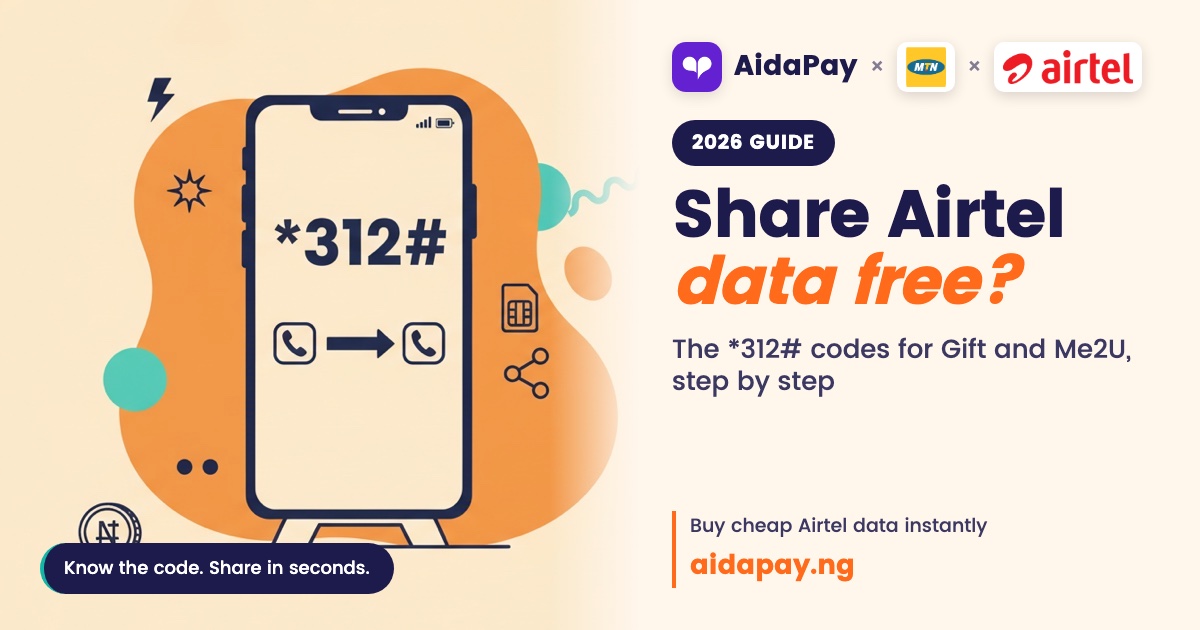
You can send Airtel data in two ways. Gift a fresh bundle from *312# with Buy for Others, or move part of your own bundle with Data Me2U. Both only work if the other person is on Airtel.
If you've searched how to share data on Airtel before, you've probably met three different codes, because old guides and new ones disagree about where the sharing menu lives. Blame 2023. That year every Nigerian network switched to one shared set of codes, the menus moved, and the old posts stayed online. Steps first, and the story comes after.
Gift or Me2U: which one do you need?
They sound alike, but they do different jobs.
Gifting buys a brand-new bundle for the other line. You pay the normal price, and the person you're helping gets the plan's full size and full validity, exactly as if they'd walked into a shop and bought it on their own phone. Me2U is different. It moves data you already have, and only active, paid bundles qualify. Bonus or borrowed data stays put. So check your balance before you try to send any.
How to share data on Airtel, step by step (as at 10 October 2026)
Both routes start from *312#. What you see next depends on what you're doing: buying new data takes you down one path, and passing on data already sitting on your line takes you down another.
Gift a new bundle with *312# (Buy for Others)
- Dial *312# and choose the bundle you want to give.
- Select Buy for Others and enter the recipient's number (0802XXXXXXX).
- Pick how you want to pay, then confirm.
Share data from your balance with Data Me2U
- Dial *312#, then open Gifting and Sharing.
- Choose Data Me2U and enter the recipient's Airtel number.
- Type your PIN and confirm.
Once the transfer goes through, the other person can dial *323# and see the data in their balance.
Change the default 1234 PIN first
Out of the box, the transfer PIN is 1234. Anyone who picks up your phone could guess it, including the cousin who only wants to "check something" and hands it back with your bundle looking lighter.
Fixing it takes a minute. Dial *321# and open PIN Management, then choose Change PIN. Enter the old PIN and type your new one twice. Skip birthdays. Pick four digits nobody at home could guess, because that one PIN guards every Me2U transfer that ever leaves your line.
If a transfer fails
Start with the number. It has to be on Airtel, and a single wrong digit sends you nowhere. Next, look at what you're sending, because bonus and borrowed data won't move however many times you try, so switch to a paid bundle. Changed your PIN already? Then 1234 won't work any more.
Before March 2023: *141# and the old SmartSHARE menu
For years, Airtel kept its bundles and sharing tools behind *141#, under the name SmartSHARE, and plenty of old posts still quote that code as if nothing has changed. Every network ran its own codes back then. New SIM, new codes to learn.
13 March to 17 May 2023: one set of codes for every network
On 13 March 2023, the Nigerian Communications Commission (NCC) approved a single list of harmonised short codes. It held 13 codes, and all four mobile networks had to adopt them. "Harmonised" just means one code does the same job whichever SIM sits in your phone. Old and new codes ran side by side until 17 May 2023. That gave everyone a few weeks to adjust.
These are the ones that matter for data and airtime.
| Code | What it does |
|---|---|
| *312# | Data plans |
| *321# | Share services |
| *323# | Data balance |
| *310# | Airtime balance |
| *311# | Recharge |
| *303# | Borrow |
| *305# | STOP service |
On Airtel, *312# became the home of every data plan, and gifting followed the plans there. That's why you pick the bundle first and only then choose Buy for Others. The share menu, *321#, took over airtime Me2U and PIN management, and it carries its own Gift Data Bundle option as well, so a guide that sends you to either code isn't wrong. Both work.
Sending data to an MTN, Glo or T2 number from Airtel
Neither gifting nor Me2U crosses networks. If your sister uses MTN, you can't send her Airtel data, so buy a bundle on her network and send it straight to her number from a VTU app.
For an Airtel line, you can also skip your own balance and pay for the plan directly. Prices as at 10 October 2026:
| Plan | Validity | Price |
|---|---|---|
| AidaPay: Airtel 1GB - 1 Day | 1 day | ₦495 (₦2 cashback) |
| AidaPay: Airtel 1GB - Weekly | 7 days | ₦790 (₦4 cashback) |
| AidaPay: Airtel 2GB - 1 Month | 1 month | ₦1,485 (₦10.19 cashback) |
| AidaPay: Airtel 3GB - 1 Month | 1 month | ₦1,980 (₦15 cashback) |
| AidaPay: Airtel 10GB - 1 Month | 1 month | ₦3,950 (₦20 cashback) |
Buy Airtel data straight to any number on AidaPay, for your own line or someone else's.
Sharing with a group works differently. AidaPay Smart Share creates one link several people can claim. Each claim credits immediately, as long as the share is still active and the person meets its conditions. You can switch the share off or change its rules later.
What to watch after 10 October 2026: rollover and menu labels
Unused Airtel data gets a grace period before it disappears: seven days on a monthly plan, three on a weekly plan and one on a daily plan. Renew the same bundle inside that window and the leftover rolls onto the new one. Miss it, and it's gone. If you know you won't use it, share it with another Airtel line before the bundle runs out.
The NCC hasn't announced any change to the harmonised codes. If a menu label moves, open the Airtel data share and gifting page for the current route.
Your next step takes a minute. Change that default PIN today, then save the full list of Airtel USSD codes so you have it the next time someone in the family asks how it works.
Frequently asked questions
What's the USSD code to share data on Airtel?
Can I share Airtel data to MTN?
Which PIN do I use for Airtel Data Me2U?
How do I check data someone sent me on Airtel?
Can I share bonus or borrowed data on Airtel?
Does *141# still work for Airtel data sharing?
How do I transfer data from my Airtel balance to another line?
More like this.
 Data
Airtel vs Glo Data: 8GB ₦2,965 vs AWUF 10.5GB ₦2,865, Which Wins?
Glo AWUF works out at about ₦273 per GB against ₦371 on Airtel's best monthly plan, but Airtel adds a YouTube night bonus and bett...
Data
Airtel vs Glo Data: 8GB ₦2,965 vs AWUF 10.5GB ₦2,865, Which Wins?
Glo AWUF works out at about ₦273 per GB against ₦371 on Airtel's best monthly plan, but Airtel adds a YouTube night bonus and bett...
 Data
Night Data Plan Code for Glo, Airtel, MTN: ₦120 750MB vs Weekly
Night bundles cost the least per GB, but the data dies at 5am. Compare the per-GB price of Glo, Airtel and MTN options and find ou...
Data
Night Data Plan Code for Glo, Airtel, MTN: ₦120 750MB vs Weekly
Night bundles cost the least per GB, but the data dies at 5am. Compare the per-GB price of Glo, Airtel and MTN options and find ou...
 Data
How to Buy Data on Airtel: *312# and Why 8GB Beats ₦790 Weekly
Four weekly 1GB Airtel bundles cost ₦690 more than one 4GB monthly plan. See the worked prices, the *312# steps, buying for anothe...
Data
How to Buy Data on Airtel: *312# and Why 8GB Beats ₦790 Weekly
Four weekly 1GB Airtel bundles cost ₦690 more than one 4GB monthly plan. See the worked prices, the *312# steps, buying for anothe...