
NCC Device Checker: Dial *315# Before the 30-Day Phone Block
Phones already on a Nigerian network before 7 October are safe. Here's who the NCC's 30-day SMS really targets and how to check any phone on *315# before you pay.
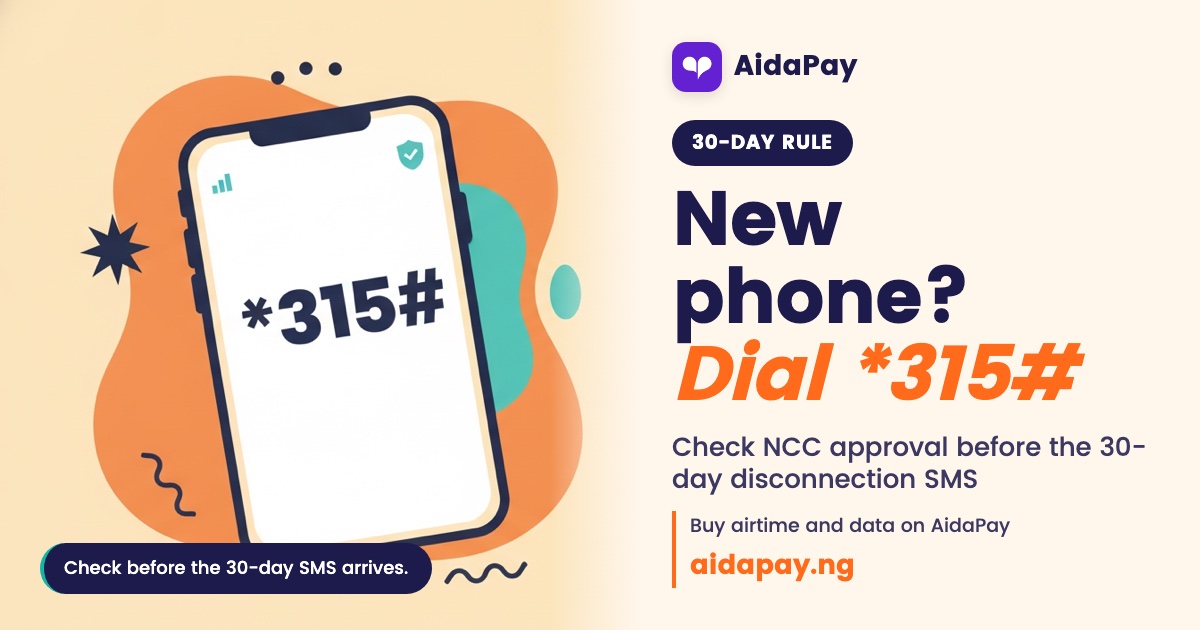
On 7 October 2026, the NCC started checking every phone that joins a Nigerian network for the first time. Phones already on a network before that day stay on. Nothing changes for them.
Only newer phones that fail the check get the 30-day disconnection SMS. To test any handset, dial *315# or use the NCC device checker at ncc.gov.ng/devicechecker.
The NCC now reads a phone's identity when it first connects
Officially, it's the Nigerian Communications Commission's enhanced Type Approval Compliance framework. Type approval is the NCC's stamp that a device model meets Nigerian technical standards, and when a phone connects, the network reads its identity and flags anything fake, cloned or never approved.
Smartphones are one part. Feature phones count. So do cellular tablets, modems, PoS terminals and eligible Internet of Things devices, because each one carries a SIM and connects to the same networks your phone uses.
All the system reads is the IMEI, a 15-digit serial number unique to each phone, so your photos, chats and contacts stay out of it and it isn't a surveillance tool.
Type approval was already the law, but nobody checked at the door
Back in 2003, the Nigerian Communications Act required approval before anyone sold or used communications equipment here, and in August 2024 the NCC added its Type Approval Business Rules on top. So the rule itself is old. What changed is the check at network entry. The Nigeria Customs Service, manufacturers, importers and phone market associations now work with the NCC to enforce it, and anyone with a Nigerian line can run the check on *315#.
Phones connected before 7 October are safe, and new arrivals carry the risk
One date decides whether you need to act: the day your phone first joined a Nigerian network.
The NCC registered about 231 million existing devices on its own, covering every phone that was on a network before 7 October, including the battered handset in your drawer that still works. Nobody is blacklisting them. Skip the office visit. Nothing is required of you, and your SIM, your NIN link, your airtime and your data all carry on as normal on the phone you already own.
After that date, it's a different story. Think new imports, phones bought abroad and some second-hand ones. Fail the check and an SMS arrives. It says the phone failed verification for Nigerian networks and will lose service after 30 cumulative days. Cumulative means the days add up. Switching the phone off won't reset the clock.
No single brand is the target. So far the SMS has reached iPhones bought in the UK, Google Pixels (which have no official Nigerian retail), an Oukitel phone ordered online, and some Infinix and Tecno models. And failing doesn't make a phone fake.
Here's where each kind of phone stands as at 16 October 2026, so find the row that matches yours and do what the last column says.
| Your situation | What happens | What to do |
|---|---|---|
| Phone was on a Nigerian network before 7 October | Already registered, stays connected | Nothing |
| New phone, first used after 7 October, passes the check | Works as normal | Keep your receipt |
| New phone, got the 30-day SMS | Cumulative days count down to disconnection | Contact the seller, then call 315 |
| Phone bought abroad or from a private seller | Same check as any new arrival | Run *315# early, keep proof of purchase and call 315 if it fails |
| About to buy a used or imported phone | The check follows the IMEI, not the owner | Check before you pay |
How to use the NCC device checker before you pay
Any phone works if you have its IMEI.
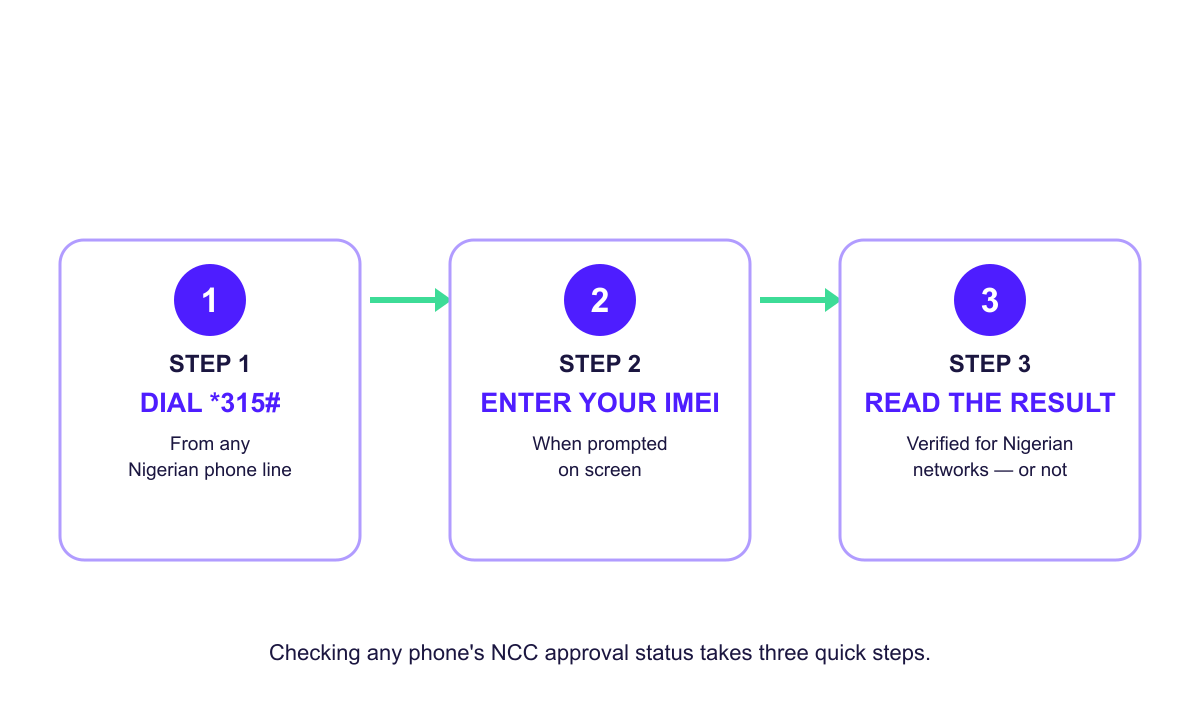
- Dial *315# from any Nigerian line.
- Follow the prompts and enter the phone's IMEI when asked.
- Read the result on screen: verified for Nigerian networks, or not.
That's the whole check. On a laptop, use ncc.gov.ng/devicechecker. To find the IMEI, dial *#06# on the phone or look in settings or on the original box, which helps when the seller is still holding the phone and all you've got is the carton.
If you're buying a Tokunbo phone in Computer Village or taking over a relative's spare from London, run its IMEI through *315# before any money changes hands. Fails? Then the seller fixes it first, or you walk away. A phone can look perfect, box and all, and still fail, and then you're the one stuck with the problem while the seller has gone home with your money.
Save *315# with the MTN USSD codes worth saving or the Airtel USSD codes you already use.
What to do if the 30-day SMS has already arrived
Don't panic. You've got 30 days. The seller should do most of the work.
Find the receipt. Take it back to the shop. Ask the seller to clear the failed check or swap the phone for one that passes. If they refuse or keep giving you stories, call the toll-free 315 helpline or your network's customer care line and explain when and where you bought it. Phones bought abroad or from a private seller go the same route, so keep whatever proof of purchase you have. When the seller or anyone else tells you it's fixed, dial *315# again from the phone itself and read the result with your own eyes before you relax.
Frequently asked questions
Does switching my phone off stop the 30-day count?
Can I use a phone I bought abroad in Nigeria?
Does a failed check mean my phone is fake?
How do I find my phone's IMEI number?
More like this.
 Phones & internet
What Is USSD? How *323# Codes Work and the ₦6.98 Bank Fee
USSD is the *xyz# menu that works on any phone without data. See how a session works, why bank sessions take ₦6.98 from your airti...
Phones & internet
What Is USSD? How *323# Codes Work and the ₦6.98 Bank Fee
USSD is the *xyz# menu that works on any phone without data. See how a session works, why bank sessions take ₦6.98 from your airti...
 Phones & internet
USSD Code Not Working? Fix 'Invalid MMI Code' on *312# and *323#
"Connection problem or invalid MMI code" usually means the wrong SIM or an old code. Here's how to spot your cause, from signal to...
Phones & internet
USSD Code Not Working? Fix 'Invalid MMI Code' on *312# and *323#
"Connection problem or invalid MMI code" usually means the wrong SIM or an old code. Here's how to spot your cause, from signal to...