
MTN Data Not Working After Recharge? 7 Fixes, From APN to NIN
Your MTN bundle shows on *323#, but nothing loads. Go through the seven usual causes, starting with the most likely. Each has a quick test, so you know which fix you need before you change anything.
You bought MTN data, *323# shows the bundle on your line, and nothing loads. Usually mobile data is simply off, or it's switched on for the other SIM in a dual-SIM phone. Turn on mobile data, set your MTN SIM as the data SIM, then put airplane mode on for about 10 seconds and switch it off again.
MTN data not working even after that? The cause is probably one of the seven below. They run from most common to least, so start at the top. Each section opens with a quick test that tells you whether it's your problem before you touch a single setting. We checked the codes against the NCC's and MTN's own pages on 6 October 2026.
Mobile data is off, or it's on for your other SIM
Look at the top of your screen. No data icon beside the signal bars means data is off.
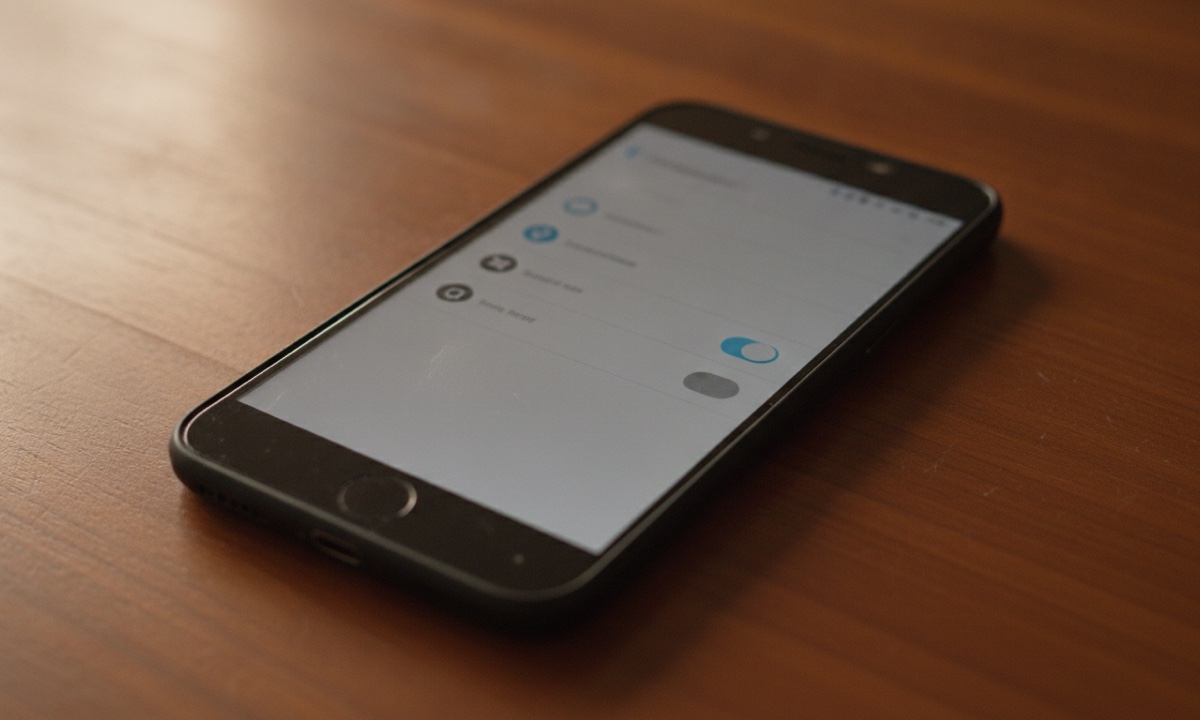
Dual-SIM phones are trickier. The data icon can sit beside the second SIM while your bundle sits on the first, and the phone keeps trying to browse on the empty line all day without a word of complaint. Menu names differ by brand. On Samsung, open Settings, tap Connections and then SIM manager; most other Android phones call the first menu Network & internet and the second one SIM cards. Under Mobile data, pick your MTN SIM. Then go back and make sure the Mobile data switch is on.
On an iPhone, open Settings and tap Mobile Data (Cellular on some models). Choose your MTN line as the data line and make sure the switch at the top is green.
Now turn Wi-Fi off and open any website. If pages load, you're done. Leave Wi-Fi on during the test and the phone may quietly load pages over Wi-Fi, which hides the real problem.
One app refusing to load while the rest work is a different clue. Data Saver can stop apps from using data in the background, and both Android and iPhone let you block mobile data for a single app while everything else carries on. Open that app's data settings and allow it.
Your bundle only works on some apps, or only at night
Dial *323#. It's the NCC's single code for checking data balance on every network, and it lists the name and expiry of each bundle on your line. Read the names slowly.
A bundle with WhatsApp, Facebook or Social in its name covers those apps only, so Chrome and YouTube won't open on it, however big the balance looks. You know the evening. WhatsApp works perfectly, your status goes out, and every other app just spins.
Night plans have their own catch. They only count during set hours, so the balance sits there all day while your phone can't spend it in daylight. MTN puts the hours in the confirmation SMS it sends when you buy, so check that message instead of guessing.
With more than one bundle on the line, the phone may still be working through the restricted one, which is why the full list from *323# tells you more than the total does.
Either wait for the night window or buy a general data plan that works in every app. As at 6 October 2026, the MTN 1GB Data Transfer plan for 30 days costs ₦520 on AidaPay, with ₦5.20 back. You can buy a general MTN data plan there for your own line or someone else's.
MTN APN settings are wrong or missing
Quick test: the data icon shows, data is on for the right SIM, and still no app loads. This often follows a new SIM, a SIM swap or a factory reset. Phones brought in from abroad do it too.
APN stands for access point name. Think of it as the address your phone uses to reach MTN's internet; with the wrong one saved, the phone has data but nowhere to send it. On Android you can add the right one by hand:
- Open Settings, then Mobile networks (under Connections on Samsung), then Access Point Names.
- Tap Add, or the + sign.
- Type MTN WEB as the name.
- Type web.gprs.mtnnigeria.net as the APN.
- Leave Proxy, Port, Username and Password empty.
- Save, tap the new entry to select it, then turn mobile data off and on once.
Sometimes an old entry carries the proxy 10.199.212.2 or a port of 8080. Clear those fields or delete that entry. Legit.ng's MTN configuration guide lists this fix and also says you can text SETTINGS to 3888 for automatic setup, but that guide dates from January 2023, so fall back on the manual steps if no message arrives.
Type the APN carefully. A missing dot or a stray space is enough to break it, and the phone won't tell you why.
iPhones normally pick up the APN from MTN on their own. Look under Settings > Mobile Data. Where you see Mobile Data Network, type the same APN there; no such menu means MTN handles it and you can move on.
Your phone is stuck on 2G (E or H), or on weak 5G
Check the network icon again. E, H or a plain 2G label means you've dropped to an old, slow network where pages time out before they finish. Weak 5G causes the same trouble, because that icon only says your phone found 5G, not that the signal where you're standing is strong enough to use.
The fix sits in the same Mobile networks menu as the APN. Tap Network mode, which some phones call Preferred network type, and pick the automatic option, often labelled auto connect or LTE preferred. Reload a page and give it a minute. To test the 5G theory, choose LTE only instead. If pages start loading, stay on LTE in that area and switch back when you move.
The quick reset: airplane mode, restart, reseat the SIM
Each of these makes your phone sign off MTN's network and sign back on. That fresh connection often gets a stuck bundle moving again.
Start with airplane mode. Switch it on, wait about half a minute, then switch it off and give the phone a minute to reconnect. If nothing changes, restart the phone. If it still won't load, switch the phone off, take out the SIM and put it back, checking that it sits flat before you push the tray in gently. Then switch on and try a page.
Your SIM is barred because your NIN isn't linked
Quick test: calls and SMS fail too, or you got a message about NIN linkage. If calls go through and only data fails, the problem lies somewhere else.
Barring happens at scale. In May 2024, Nairametrics reported that MTN had fully barred 8.6 million lines that failed the NIN-SIM linkage requirement set by the NCC.
The NCC's own FAQ gives you the codes. Dial *996# to check or link your NIN, or *996*NIN# to submit it in one go. MTN's linking code, *785#, works too. Forgot the NIN itself? Dial *346# to get it from NIMC. If your NIN is already linked and the line stays barred, take your NIN slip to an MTN service centre.
MTN data not working today? It may be an outage
Quick test: other MTN users near you have the same problem, while your phone browses fine on Wi-Fi or in another part of town. That's the network, not you.
Network quality is in the news this week. Following directives from the NCC and the FCCPC, MTN has started paying airtime compensation for poor service recorded between February and April. Technext and BusinessDay reported MTN saying on 5 October that the credit covers poor network quality, not data depletion, so a small airtime credit isn't a refund for data that vanished.
No setting on your phone fixes an outage. Use Wi-Fi if you have it, and write down the time and place the network failed, because you'll need both if you complain later.
Still stuck? Call MTN on 300, then the NCC on 622
Dial 300 from your MTN line. It's the NCC's single code for customer care, and MTN lists it on its website. Before you call, have your MTN number ready, along with the bundle name from *323#, the time the data stopped and the fixes you've already tried. That last one saves you from being sent back to the start.
The NCC asks you to complain to your network first. If MTN doesn't sort it out, call the NCC's toll-free line, 622, which takes complaints a network left unresolved.
One case is different. If you paid for MTN data on AidaPay and it isn't showing on *323# at all, that's a purchase problem, not a phone problem. Open the transaction in History, copy its reference, then go to Settings > Support and raise a complaint ticket with it.
To stop this coming back, buy general data when you need a browser, keep the MTN WEB APN saved and get your NIN linked. Bookmark the full list of MTN USSD codes and the data balance codes for every network, so your next check takes seconds instead of an afternoon of restarting your phone.
Frequently asked questions
Why does my MTN data show on *323# but not browse?
What are the MTN APN settings for Android?
Will MTN's compensation refund data that finished too fast?
How do I check if my NIN is linked to my MTN line?
What do I do when MTN data is still not working after every fix?
Why is my MTN data not working on my iPhone?
Why does WhatsApp alone refuse to load on my MTN data?
Is MTN internet down today, or is it just my phone?
Sources
- NCC: NIN-SIM linkage FAQ (codes *996#, *996*NIN#, *785#, *346#)
- NCC: Lodge complaints first with service providers; 622 toll-free line
- MTN Nigeria website (customer care 300)
- Mobility.com.ng: NCC single codes (*323# data balance, 300 customer care, 996)
- Legit.ng: MTN manual configuration settings (APN, proxy fix, SETTINGS to 3888)
- Nairametrics: MTN bars 8.6 million lines over NIN-SIM linkage (May 2024)
- Technext: MTN clarifies airtime compensation is for poor network quality, not data depletion
- BusinessDay: MTN clarifies airtime compensation amid data depletion complaints
- AidaPay app catalogue (MTN 1GB Data Transfer 30 days, read 6 Oct 2026)
- AidaPay FAQ (contacting support, transaction receipts)
More like this.
 Data
MTN vs Airtel Data: 30-Day 3GB for ₦1,200 vs ₦1,980, Who Gives More?
MTN wins small 30-day plans, Airtel wins 2-day bursts and 8-10GB monthly bundles. Each plan's cost per GB, with cashback and Opens...
Data
MTN vs Airtel Data: 30-Day 3GB for ₦1,200 vs ₦1,980, Who Gives More?
MTN wins small 30-day plans, Airtel wins 2-day bursts and 8-10GB monthly bundles. Each plan's cost per GB, with cashback and Opens...
 Data
Code to Borrow Data From MTN: *303#, the 15% Fee and What You Owe
MTN's borrow code is *303# now, and *606# is dead. A ₦100 loan puts ₦85 on your line and you repay the full ₦100. Here's how repay...
Data
Code to Borrow Data From MTN: *303#, the 15% Fee and What You Owe
MTN's borrow code is *303# now, and *606# is dead. A ₦100 loan puts ₦85 on your line and you repay the full ₦100. Here's how repay...
 Data
MTN SME Data Is Now Data Transfer: 1GB ₦400 and Balance Code
MTN SME data isn't sold to the public any more; the plans in its place read "Data Transfer". See each price with cashback as at 30...
Data
MTN SME Data Is Now Data Transfer: 1GB ₦400 and Balance Code
MTN SME data isn't sold to the public any more; the plans in its place read "Data Transfer". See each price with cashback as at 30...