
How to Share Data With Glo: *301# for 5 Users, Not *127*01#
To share data on Glo, dial *301# and add up to 5 Glo numbers to your plan. Old codes like *127*01* won't do it. Here's sharing vs gifting, and what to do for a friend on MTN or Airtel.
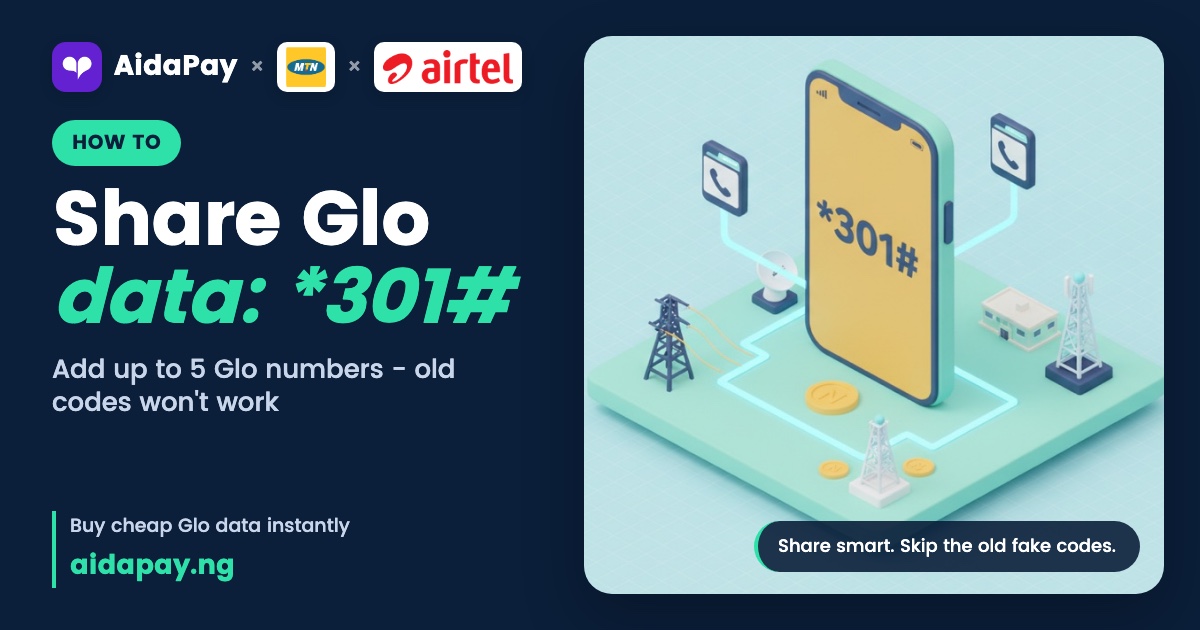
To share data on Glo, dial *301# and add up to 5 Glo numbers to your data plan. Only Glo lines can join. On a Glo SIM, hsi.glo.com and the Glo Café app do the same job, but the old *127*01* code won't.
Codes and menus here are current as at 10 October 2026. Four mistakes keep coming up when people try to work out how to share data with Glo. Each one gets its own section below, along with how sharing differs from gifting and what works for a friend on MTN or Airtel.
"The data share code is *127*01* plus their number"
Forwarded WhatsApp messages still push codes like *127*01*, *127*00*, *321# and *777#, usually promising free data for the whole family. None of them is Glo's sharing route now.
One of them is a trap. Dial *321# hoping to share and you'll land in Borrow Me Credit, Glo's loan menu for airtime and data. Whatever you borrow there comes out of your next recharge. Glo adds a 15% service charge on top.
Adding, removing and listing sharers all live in one USSD code, *301#. Glo has no separate code to transfer data from one line to another, so sharing or gifting on *301# is the whole story.
How to share data with Glo on *301#
First, make sure the line you're dialling from has an active Glo data plan. Everyone you add will draw from it.
- Dial *301# from the Glo line that holds the data plan.
- Choose the option to add someone to your plan.
- Type the Glo number you want to add, for example 0805XXXXXXX.
- Confirm.
Menus get reworded from time to time, so follow whatever options your screen shows. Repeat the steps for each person, up to five.
Rather tap than dial? Turn on your Glo SIM's data, open hsi.glo.com and use the sharing feature there.
If adding someone fails, run through these:
- You dialled from the line that owns the plan, not your second SIM.
- The number you typed is a Glo number.
- Your plan doesn't already have five people on it. The list option on *301# shows who's there.
"I can share with my friend on MTN or Airtel"
You can't. Sharing works for Glo network users only, and an MTN, Airtel or T2 number won't go through from any menu.
Buy a data plan straight to your friend's number instead. Glo friends can get one this way too, whenever you'd rather keep your own bundle whole. Here are some Glo plans on AidaPay you can send to any Glo line, with prices as at 10 October 2026:
| Plan | Price |
|---|---|
| Glo 200MB, 14 days | ₦90 (₦1.42 cashback) |
| Glo AWUF 750MB, 1 day | ₦190 (₦1.90 cashback) |
| Glo 500MB, 30 days | ₦225 (₦3.54 cashback) |
| Glo 1GB, 7 days | ₦360 (₦3.60 cashback) |
| Glo 1GB, 30 days | ₦440 (₦5.18 cashback) |
| Glo 2GB, 30 days | ₦880 (₦10.35 cashback) |
To top up someone else's line, buy a Glo data plan straight to their number. MTN, Airtel and T2 friends follow the same route on AidaPay: Home > Data > pick their network > choose a plan > enter their number > PIN. Failed purchases get refunded automatically. Don't have their number to hand? Send data as a SmartShare link and they claim it themselves.
Compare the two 1GB plans. The 7-day one works out to about ₦51 per day of cover. Stretch to 30 days and that drops to roughly ₦14.67. For ₦80 more, the same gigabyte lasts more than four times as long, so pay the extra unless your friend will finish it this week.
"Sharing sends them their own chunk of MB"
Nobody gets a separate chunk. Sharing adds people to your plan, and every one of them draws from the bundle you paid for, at the same time, until it runs out. One cousin streaming football highlights can empty the pot before you've opened your email.
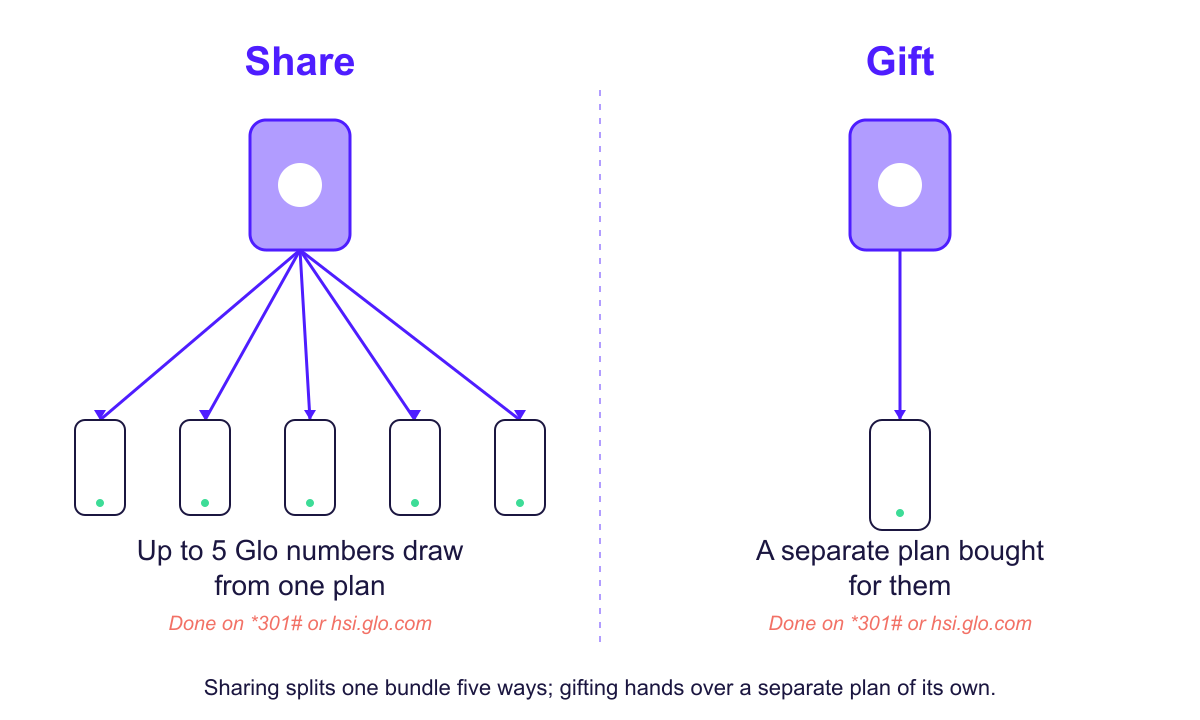
Gifting is the other route. Dial *301# and follow the menu to gift a subscription, or use the gifting feature on hsi.glo.com, and your friend ends up with a plan of their own.
Side by side, sharing and gifting on Glo look like this:
| Share | Gift | |
|---|---|---|
| Whose data they use | Your plan's bundle | A plan bought for them |
| How many people | Up to 5 Glo users | The person you pick |
| Where to do it | *301#, hsi.glo.com or Glo Café | *301# or hsi.glo.com |
| Can you remove them later | Yes, through *301# | No need, the plan is theirs |
To check who you share data with on Glo, dial *301# and pick the list option. If a number there isn't one you added, or someone no longer needs data, cancel the share by picking the remove option and typing that Glo number in. Once your Glo SIM's data is on, hsi.glo.com handles it too.
Sharing suits a household. Gifting fits a one-off, like data for your sister's exam week, when her video lessons should eat into her own bundle and leave yours alone.
"EasyShare *131# is how you share data"
EasyShare moves airtime, not data. Its format is *131*recipient's number*amount*password#, and a text arrives once the transfer completes. Out of the box, the password is 00000. So to send ₦100 to 0805XXXXXXX on the default password, dial *131*0805XXXXXXX*100*00000#. With your own five-digit password already set, put it in place of 00000.
If other people use your phone, change that password to one only you know. Anyone who knows the default can send your airtime away.
Airtime still makes a decent backup, since your friend can turn the credit into whatever data plan suits them.
Keep the full list of Glo USSD codes close if you top up family often. For today, dial *301#, add the people who need data, and check the list option now and then so you know who's still on your plan.
Frequently asked questions
How do I cancel data sharing on Glo?
How can I tell who is using my Glo data?
Is there a code to transfer data on Glo?
Can I share my Glo data with someone on MTN or Airtel?
What's the code to share data on Glo?
What does it mean to share data on Glo?
Can I add another Glo number through Glo Café instead of dialling?
More like this.
 Data
Airtel vs Glo Data: 8GB ₦2,965 vs AWUF 10.5GB ₦2,865, Which Wins?
Glo AWUF works out at about ₦273 per GB against ₦371 on Airtel's best monthly plan, but Airtel adds a YouTube night bonus and bett...
Data
Airtel vs Glo Data: 8GB ₦2,965 vs AWUF 10.5GB ₦2,865, Which Wins?
Glo AWUF works out at about ₦273 per GB against ₦371 on Airtel's best monthly plan, but Airtel adds a YouTube night bonus and bett...
 Data
Night Data Plan Code for Glo, Airtel, MTN: ₦120 750MB vs Weekly
Night bundles cost the least per GB, but the data dies at 5am. Compare the per-GB price of Glo, Airtel and MTN options and find ou...
Data
Night Data Plan Code for Glo, Airtel, MTN: ₦120 750MB vs Weekly
Night bundles cost the least per GB, but the data dies at 5am. Compare the per-GB price of Glo, Airtel and MTN options and find ou...
 Data
How to Buy Data on Airtel: *312# and Why 8GB Beats ₦790 Weekly
Four weekly 1GB Airtel bundles cost ₦690 more than one 4GB monthly plan. See the worked prices, the *312# steps, buying for anothe...
Data
How to Buy Data on Airtel: *312# and Why 8GB Beats ₦790 Weekly
Four weekly 1GB Airtel bundles cost ₦690 more than one 4GB monthly plan. See the worked prices, the *312# steps, buying for anothe...