
SIM Barred for NIN? 4 Causes, the *996# Check and the Fix
Calls and data gone, and the network says your line is barred for NIN. Find which of four causes you have with *996#, then follow the fix for that one, from network codes to NIMC corrections.
Your calls won't go out, your data won't connect, and a message says your line is barred for NIN. Usually the network simply has no verified NIN for that number. With your SIM barred, NIN slip in hand, the fix is often one code: dial *996#, which works on every network, submit the NIN, and the network checks it against NIMC records.
If you've already submitted it and you're still cut off, one of four things has gone wrong. Each section below opens with a quick test and then gives you the fix. Start at the top. Every test takes seconds, and each one you pass rules a cause out, so you won't waste a trip to the service centre on a problem a code could have solved.
Your NIN was never linked to this number
This is the easiest case. Your network has no NIN on record for the line, so it barred it.
How to tell: check NIN linked to SIM on *996#
Dial *996# and pick the option that shows the numbers linked to your NIN. If the barred SIM won't run the code, try it from another line you own. When this number isn't on the list, you've found your cause.
NIN link codes for MTN, Airtel, Glo and T2
You'll need your 11-digit NIN, printed on your NIN slip. If the slip went missing somewhere between house moves, dial *346# from the phone number you gave at NIMC enrolment and your NIN comes back to you. A small charge may apply.
Send the NIN from the barred line through the channel for your network. Linking is free.
Codes as at 20 November 2026:
- Any network: dial *996#, or *996*your NIN# to send it in one go.
- MTN: dial *785#, or *785*your NIN#.
- Airtel: dial *121*1#, choose 1 for NIN capture, then enter your NIN.
- Glo: text UPDATENIN, your NIN, first name and last name to 109, for example UPDATENIN 12345678901 FirstName LastName.
- T2 (formerly 9mobile): fill in the form at www.9mobile.com.ng/NIN.
Your network sends a confirmation SMS back. Keep it. A service centre will want to see it if things get that far.
The NIN went in but failed: your name or date of birth doesn't match
Every NIN you submit gets checked against the NIMC database, and a different name or date of birth on your SIM registration makes the link fail. Plenty of people registered their SIMs years before they had a NIN, using a nickname, a different name order or a birthday nobody bothered to double-check, so the two records never quite agreed. The SMS gives it away. It says validation failed, or it asks for more details, and several days of silence after you submit point the same way.
- Ask your network what name and date of birth it holds for your line, then compare them with your NIN slip letter by letter, name order included.
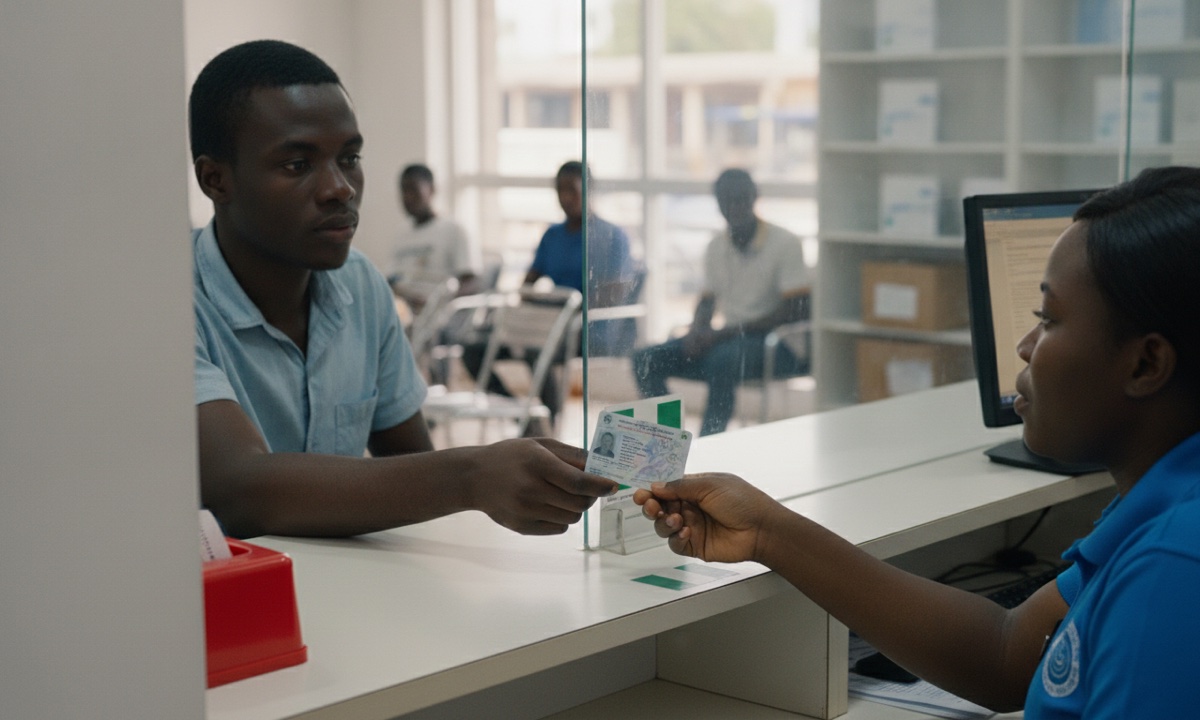
- When the SIM record is wrong, take a valid photo ID to your network's service centre and ask them to correct it.
- When the NIMC record is wrong, log in to the NIMC self-service portal at selfservicemodification.nimc.gov.ng and pay the fee it shows for the field you're changing. A date of birth change also asks for your National Population Commission birth certificate number.
- Once the correction shows on your record, submit your NIN again with your network's code from the first section.
Don't queue at a NIMC enrolment centre for this. Those centres stopped doing modifications in October 2024.
SIM barred, NIN accepted: the bar just hasn't lifted
You got a success SMS, or *996# now lists this number under your NIN, yet calls still fail. Your details are fine. The system is behind.
There's no official waiting time, so give it at least a day after the success message before you try anything else. Then restart the phone, or flip airplane mode on for a minute so the SIM connects to the network again from scratch, and make a test call and open any web page to see whether it worked. Hold off on buying data until that call goes through. A line that's still dead after a restart goes straight to the service centre steps at the end.
Strange numbers on your NIN, or a bar for some other reason
Here, *996# shows numbers you've never owned, or your own number has vanished from the list even though you linked it long ago.
Write down every number on that list. Ask your network to delink the ones that aren't yours, and keep the complaint number they give you. If the SIM sat unused in a drawer for a long time before it stopped working, ask the service centre whether the number still belongs to you before you put a single naira on it.
Networks sometimes bar lines in bulk by mistake.
In July 2024, NCC ordered every network to switch back on lines barred over NIN verification problems, after many people who had already linked their NINs lost service anyway. So when friends on the same network lose their lines the same week you do, call your network's helpline first. Don't redo anything yet.
Still barred? Take it to a service centre, then to NCC 622
A SIM barred, NIN linked and every detail matching, needs someone at the network to check your record by hand.
Take the SIM, a valid photo ID and your NIN slip to your network's service centre, along with the confirmation or failure SMS if you still have it. Before you leave, ask for a complaint ticket number. That number matters. NCC only steps in once your network has had its chance and failed, and the ticket is your proof that the network had that chance.
If the network doesn't sort it out, call NCC on 622, the toll-free line, and quote your ticket number. NCC also takes calls on +234-209-461-7000 and +234-209-461-7514.
To stop this happening again, keep your SIM details matched to your NIMC record. Check *996# after any SIM swap or name change, and delink any number you don't own.
Once your calls work again, you can top up airtime once the line is back for this number. If something else on your phone acts up, there are more fixes for phone, data and token problems.
Frequently asked questions
How can I check if my NIN is linked to my SIM?
How do I get my NIN if I lost the slip?
Is NIN-SIM linking free?
How long does it take for a barred SIM to come back after linking?
Where do I correct my name or date of birth on my NIN?
How do I unblock a SIM that's barred for NIN?
What should I do if strange numbers are linked to my NIN?
More like this.
 Phones & internet
How to Unbar SIM Blocked for NIN: *996#, *785# and the Wait
Dial *996# (or *785# on MTN) from the barred SIM, enter your NIN and allow about a day. Here's the route for each network, and wha...
Phones & internet
How to Hide Number on MTN: #31#, *31# and ₦0 Extra Per Call
Type #31# before the number and your MTN call shows as private, at no extra cost. Here's the all-calls switch, the phone settings,...
 Phones & internet
What Is USSD? How *323# Codes Work and the ₦6.98 Bank Fee
USSD is the *xyz# menu that works on any phone without data. See how a session works, why bank sessions take ₦6.98 from your airti...