
Data Share Code for MTN: *312#, 10 Free Gifts, Then a Fee
Dial *312*number*amount# to send MTN data with no PIN. Only ten transfers a month are free, some bundles can't be shared, and gifted data expires when yours does.
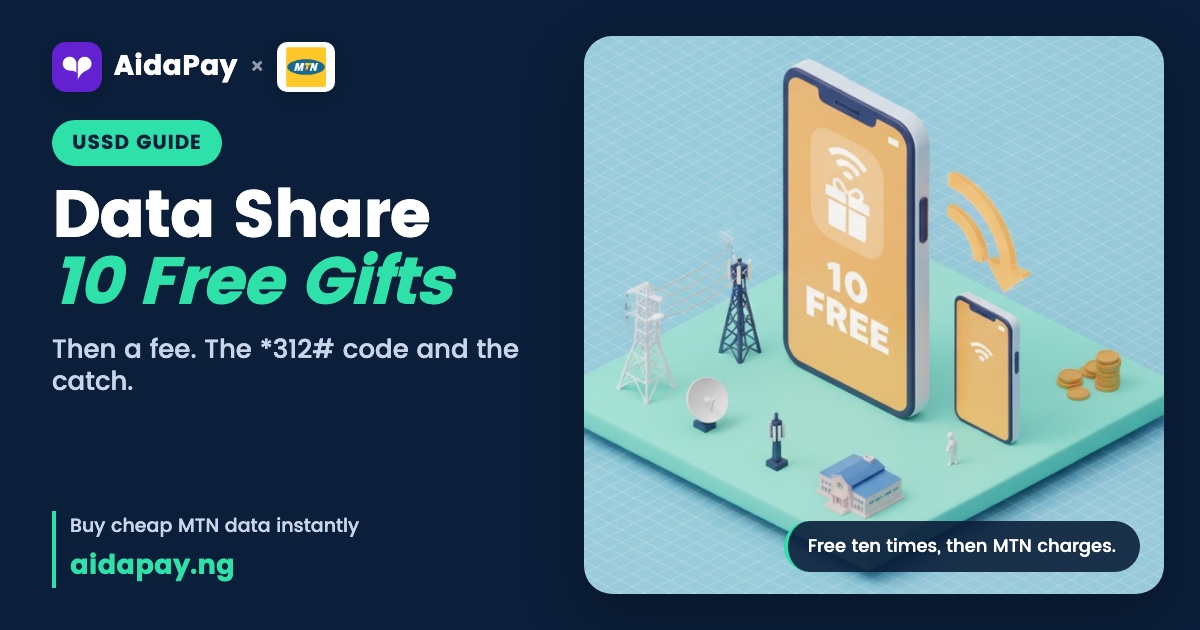
The data share code for MTN is *312*recipient's number*amount in MB#, and it never asks for a PIN. For half a gigabyte, you'd dial *312*0803XXXXXXX*500#. Sharing works MTN to MTN only, and your first ten transfers each calendar month cost nothing.
From the eleventh transfer, a fee kicks in, but nothing moves off your line until you read the amount in the USSD or SMS prompt and choose to accept it yourself.
Prefer a menu? Dial *321*2# and pick the transfer option. Texting works as well: send the word Transfer, then the number and the amount, to 312. In the myMTN app, tap Share, then Data Share.
Data share code for MTN by menu: *321*2# step by step
Copy the person's MTN number before you start. Go hunting through your contacts halfway and the menu times out, which sends you back to dialling from the top while your sister waits on the other side of the sofa.
- Dial *321*2#.
- Choose 1 to transfer data.
- Enter the recipient's MTN number.
- Pick one of the fixed sizes on the screen.
- Confirm.
Every route uses the same fixed sizes. The smallest is 100MB, and at the top sits 5GB, which also happens to be the most you can send in a single day across all your transfers. MTN blocks any transfer that would leave less than 100MB on your own line. USSD and SMS skip the PIN. The myMTN app is different, because it might want a PIN or a one-time code by text, depending on how you've set it up.
Why a transfer fails or asks you to pay
Five things usually block a transfer. Top of the list is the fee, because once you've passed ten transfers this month, nothing new goes through until you answer the prompt waiting on your screen. Next, you may have hit the daily limit. A transfer that would drop your balance below the minimum gets stopped too. Perhaps you've already handed out the full fifth of that bundle MTN lets you give away, even if it felt like only a few small gifts. And sometimes your data sits on a bundle MTN won't let you share at all.
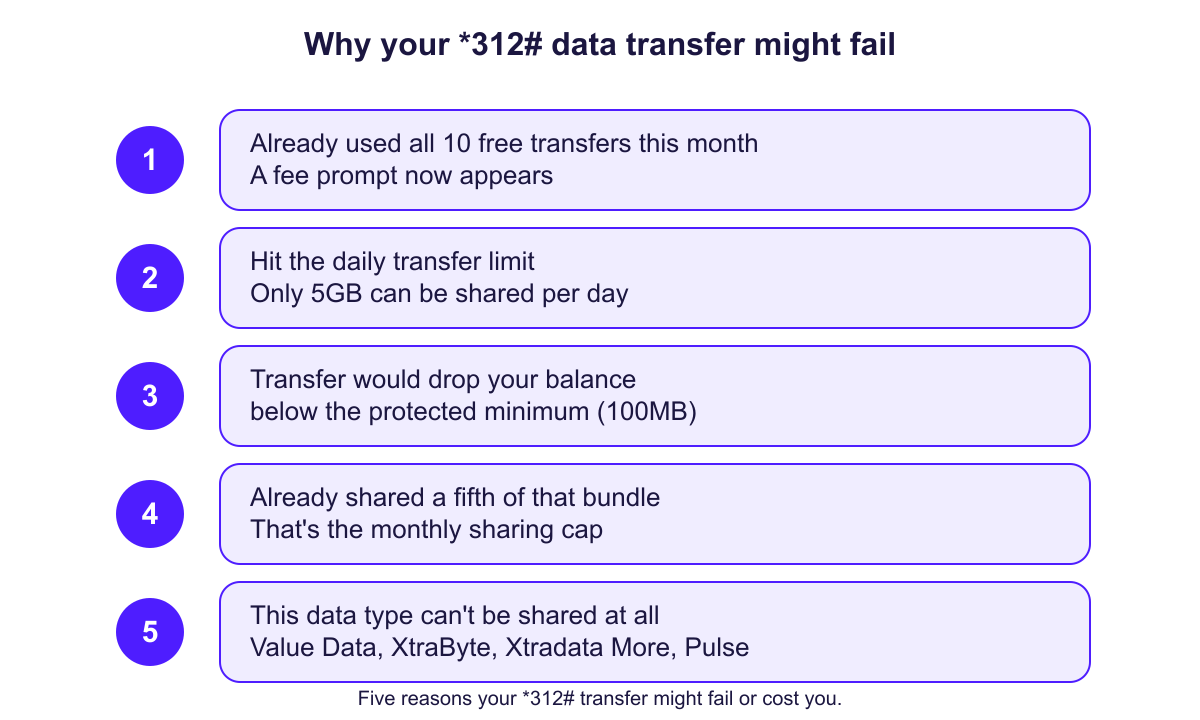
MTN doesn't publish the fee amounts. Size decides the charge, and the prompt shows the exact figure before anything leaves your line. Read it properly. Decline or ignore it and nothing goes through, so you can't pay a gifting fee you never saw on the screen.
That one-fifth cap bites hardest on big plans, because however many people you split it between, a fifth of a large monthly bundle is the most you can hand out in the cycle.
Sharing draws only from the bundle with the latest expiry date. Say you hold a weekly plan ending on Friday and a monthly plan running to month-end: the gift comes out of the monthly one. Those balances never combine.
Some bundles can't be shared at all, including the two-day 7GB plan, Value Data, Xtradata More and the Pulse social pack. If your only data sits on one of them, the code fails every time. Bonus data stays with you as well. So does XtraByte, the data you borrow now and repay on your next recharge. Custom and tariff-based bundles stay put too.
How to check MTN data you sent or received
Whoever received the data can dial *323*4# to see it. Texting 2 to 323 works too. Gifted data also shows up in the myMTN app and on Zigi. Their phone burns through the gift before it touches their own bundle, and the gift won't renew itself, roll over or earn them a bonus.
On your side, a confirmation text from MTN lands once the transfer goes through. Keep that text, or open the myMTN app whenever you need a record of who got what.
There's no transfer-history code.
Asking for data and setting up auto-transfer
To ask someone for data, dial *312*7*3# and enter their number; the third option in the transfer menu does the same job. Five requests a day is your limit. Each request stays open for two days, and the other person still decides whether to send anything, so nothing leaves their line unless they agree. Lines on full DND (do-not-disturb) can't receive requests. Anything waiting for you sits under *312*8#, in option 4, and only the latest ten show up.
If your younger brother asks for data every Sunday like clockwork, auto-transfer spares you the reminder. Open *321*2#, choose 5, then set the person, the amount and whether it goes weekly or monthly. Amounts start as low as 50MB. Up to five people can go on the list. To stop MTN data share on auto-transfer, pick Stop auto transfer in the same menu, and it cancels for everyone at once.
When buying them a bundle beats sharing yours
Buying a plan for someone leaves your own data alone. It doesn't count towards your ten free transfers either. Dial *312*bundle activation code*their number#, or open the transfer menu and choose 2 to pick the plan. You pay the plan price, nothing else, and if they qualify they also get any bonus that comes with the plan, which shared data never carries.
On AidaPay, MTN data transfer plans go to any MTN number with no gifting fee. Prices as at 15 October 2026:
- 2GB for 30 days: ₦950, with ₦9.50 back
- 1GB for a week: ₦400, with ₦4 back
- Half a gigabyte for a week: ₦350, with ₦3.50 back
Pick one and buy MTN data transfer bundles for any number without touching your own balance.
Before your next gift, dial *323*4# to see what's left and when it expires (other networks are in our data balance codes for every network). If you share often, keep a rough count of this month's transfers, since the eleventh is where the fee prompt starts showing up. Save the full list of MTN USSD codes for the next time a code slips your mind.
Frequently asked questions
Do I need to create an MTN data share PIN the first time?
What's the MTN data share limit per day and per month?
Why is MTN charging me to share data?
Can I share bonus or borrowed data on MTN?
When does data someone shared with me on MTN expire?
How do I ask someone to send me MTN data?
Can I transfer MTN data to an Airtel line?
How do I stop auto data transfer on MTN?
What code do I use to share data on MTN?
More like this.
 Data
Data Prices in Nigeria, November 2026: No Hikes, 12 New Plans
No MTN, Airtel or Glo bundle went up as at 1 November 2026. See the new MTN router and MiFi plans, the plans that were removed, an...
Data
Data Prices in Nigeria, November 2026: No Hikes, 12 New Plans
No MTN, Airtel or Glo bundle went up as at 1 November 2026. See the new MTN router and MiFi plans, the plans that were removed, an...
 Data
Data Price Tracker Nigeria: Cheapest per GB on MTN, Airtel, Glo
One page, refreshed at the start of every month: the cheapest data per GB on MTN, Airtel and Glo, TV subscription prices, and how...
Data
Data Price Tracker Nigeria: Cheapest per GB on MTN, Airtel, Glo
One page, refreshed at the start of every month: the cheapest data per GB on MTN, Airtel and Glo, TV subscription prices, and how...
 Data
What Is Corporate Gifting Data? CG vs SME Data, Validity, Price
CG data is a normal bundle that a business account gifts to your line. Here's how it differs from SME data and gifting from your o...
Data
What Is Corporate Gifting Data? CG vs SME Data, Validity, Price
CG data is a normal bundle that a business account gifts to your line. Here's how it differs from SME data and gifting from your o...