
Cheap data on every network, in seconds.
Data, airtime, electricity and cable TV at low prices, with cashback on every purchase. Try it on the phone →
Point your camera at an account number on a receipt, a screen or a shop wall. ScanPay reads it, shows you who you are paying, and sends the money to any Nigerian bank.
Everything you pay for,
from one wallet.

 Airtime Topup
Any network, with a discount on every recharge.
Airtime Topup
Any network, with a discount on every recharge.


 Cable TV Subscription
DStv, GOtv and Startimes, renew or change bouquet.
Cable TV Subscription
DStv, GOtv and Startimes, renew or change bouquet.


 Meter Token
Prepaid and postpaid tokens for every DisCo.
Meter Token
Prepaid and postpaid tokens for every DisCo.

 ePin
Recharge card PINs to print or resell.
Education
WAEC, NECO and JAMB PINs in seconds.
ePin
Recharge card PINs to print or resell.
Education
WAEC, NECO and JAMB PINs in seconds.
 Betting
Fund your betting wallet instantly.
Streaming Platform
Streaming subscriptions, paid in Naira.
Betting
Fund your betting wallet instantly.
Streaming Platform
Streaming subscriptions, paid in Naira.
Pay for many people, in one go.
From download to
delivered in three steps.
Download & sign up
Free on Android and iPhone. Your phone number, a password and a 4-digit PIN - done in a minute.
Fund your wallet
You get your own account number. Send money to it from any bank app and your wallet updates on its own, or pay directly with your debit card.
Pay in seconds
Buy data, airtime and bills, or scan an account number to send money. Cashback lands after every purchase.
Stop typing account numbers.
Point your camera at an account number on a receipt, a screen or a shop wall. ScanPay reads it, finds the bank, shows you the name, and sends the money.
- 01Read, not typedNo more wrong digits sending money to the wrong person.
- 02Name before you payThe account name comes up so you know exactly who you are paying.
- 03Any Nigerian bankBanks and wallets alike, with a receipt you can share.
Every payment pays you back.
Cashback lands in your wallet after every data, airtime and bill payment. Spend it or withdraw it.
Agents buy at lower prices and earn more on every sale - perfect for a shop, a kiosk or friends and family.
Become An Agent →Every plan, every price and what you earn on it - in one list.
View pricing →Your money moves only when you say so.
A 24/7 secure and simple way to pay bills. Years of engineering experience have gone into making AidaPay reliable and dependable.
Nothing leaves your wallet without your 4-digit PIN or your fingerprint / Face ID.
New phones must be verified before they can use your account.
BVN and NIN checks keep every account tied to a real person.
If a purchase fails, the money goes back to your wallet on its own.
What is AidaPay?
AidaPay is a Nigerian payments app for buying cheap data bundles and airtime on MTN, Airtel, Glo and T2 (formerly 9mobile), prepaid electricity tokens for every DisCo, DStv, GOtv and StarTimes subscriptions, and exam PINs, with cashback paid into your wallet on every purchase and failed purchases refunded automatically. With ScanPay you pay any Nigerian bank account by scanning its account number, and SmartShare lets you gift airtime or data to many people with one link. Families and businesses use bulk data and bulk airtime to top up as many as 500 numbers in one payment. AidaPay is operated by Veqi LTD (RC1974322), has its head office in Ibadan, is licensed by the Nigerian Communications Commission, and keeps wallet balances with licensed partner banks including Wema Bank, Providus Bank, Access Bank. It has served customers since July 2020 and is rated 4.6 out of 5 from 11.7K reviews on Google Play.
Licensed by the Nigerian Communications Commission.
Registered company RC1974322, head office in Ibadan.
Wallets held with licensed partner banks.
From 11.7K reviews.
Sell data from your own app or website.
One API for data, airtime, electricity and cable TV, with webhooks for every result and agent prices on every sale.
// buy 1GB for a customer
curl -X POST https://aidapay.ng/api/v1/buy \
  -H "Authorization: Bearer $TOKEN" \
  -d '{ "provider_code": "<from /service/data-bundle-sme>", "package_code": "<plan>",
        "recipient": "08031234567", "ref": "ORDER-1042", "account_pin": "****" }'

// webhook a second later
{ "type": "transaction", "status": "Completed", "ref": "ORDER-1042" }From the AidaPay journal.
What data, airtime, electricity and TV really cost in Nigeria this week - and how to pay less.
 Data
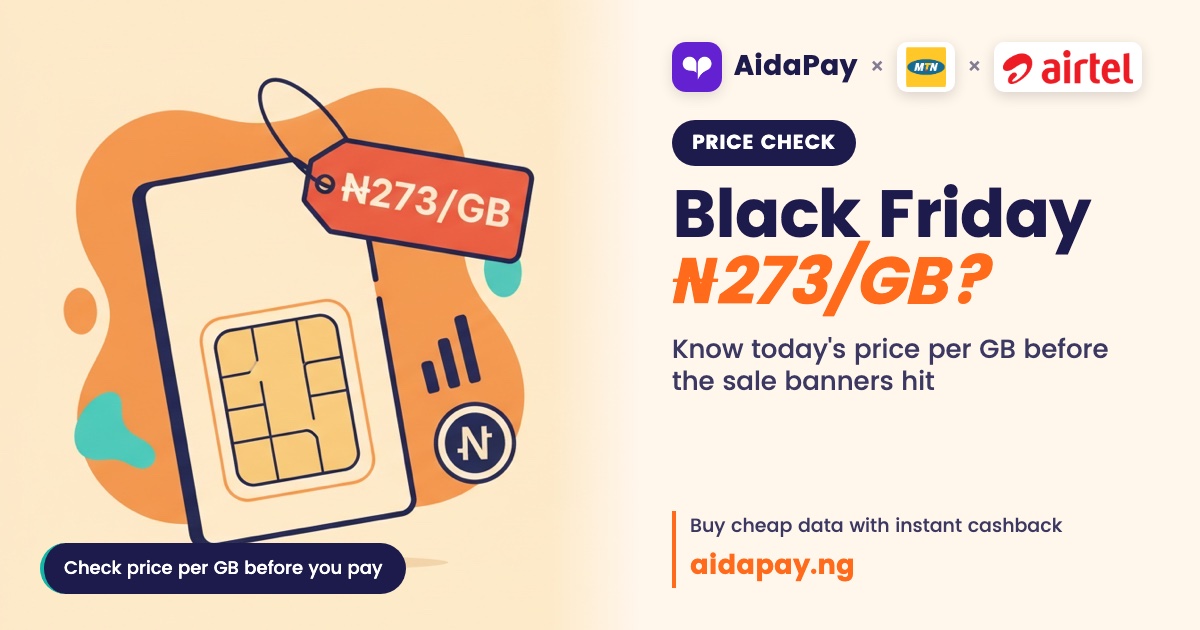
Black Friday Data Deals 2026: Beat ₦433/GB on MTN, ₦273 on Glo (30-Day Plans)
Black Friday is 27 November 2026. Note today's price per GB on MTN, Airtel and Glo and the airtime cashback to beat, so a red bann...
Data
Black Friday Data Deals 2026: Beat ₦433/GB on MTN, ₦273 on Glo (30-Day Plans)
Black Friday is 27 November 2026. Note today's price per GB on MTN, Airtel and Glo and the airtime cashback to beat, so a red bann...
 Data
Airtel Data Not Working? Check *323#, Then Fix the APN
Your Airtel bundle shows as active but nothing loads. Find out if it's social-only or night data, then fix the APN, 4G setting, NI...
Data
Airtel Data Not Working? Check *323#, Then Fix the APN
Your Airtel bundle shows as active but nothing loads. Find out if it's social-only or night data, then fix the APN, 4G setting, NI...
 Data
SME Data vs Gifting vs CG: Glo 10.5GB ₦2,865 or MTN 10GB ₦4,433?
SME, gifting and CG data are delivery labels, not different data. See the real price per GB on Glo, MTN and Airtel, what rolls ove...
Data
SME Data vs Gifting vs CG: Glo 10.5GB ₦2,865 or MTN 10GB ₦4,433?
SME, gifting and CG data are delivery labels, not different data. See the real price per GB on Glo, MTN and Airtel, what rolls ove...
How do I create an AidaPay account?
Keep that PIN private - AidaPay staff will never ask you for it.
Why do I need to verify my account?
Open Account Verification
What is the difference between BillPayment and ScanPay?
You can switch between them at any time from the dashboard - your balance and history stay with your account either way.
Do you charge for opening an account?
What is ScanPay?
How do I access ScanPay?
First, make sure your AidaPay app is updated to the latest version.
Then:
1. Log in to your AidaPay account.
2. Tap MODE beneath your dashboard.
3. Select ScanPay.
4. Follow the on-screen instructions to complete your transaction.
Keep your AidaPay app updated to enjoy the latest features and improvements.
What is Pay4Me?
The person opens the link in AidaPay, sees your transfer already filled in and pays it from their ScanPay balance. The money goes straight to the account you entered - nothing leaves your own account.